Willus.com Home   |   Archive   |   About  

Willus.com's K2pdfopt Help Page

Return to K2pdfopt Home Page

MENU
Getting Started:
    1. Windows
  2. Linux
  Ubuntu
  3. Mac OSX

K2PDFOPT FAQ

Customizing K2PDFOPT:
    1. The interactive menu
    2. List of command-line options
    3. Using a shortcut
  4. Using the K2PDFOPT environment variable
  5. Using the command line

Adjusting the output:
    1. Screen Size
    2. Increasing the magnification
    3. Landscape mode
    4. Output File Size
    5. Setting Margins
    6. Color Output
    7. Uneven Line Breaks/ Excess Margins

Processing Options:
    1. Showing Markings
    2. Auto-Straightening
    3. Ignoring Borders/ Headers/Footers
    4. Detecting Columns
    5. Column Order
    6. Right-to-Left Page Scanning
    7. Using Ghostscript
 
  COLOR OUTPUT
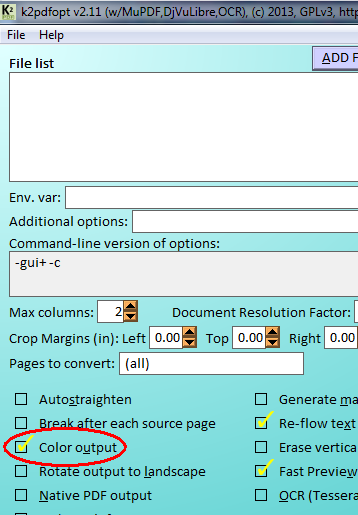
Use the -c option (v1.15 and up) for color output, or select Option 'c' (Color output) in the k2pdfopt interactive settings menu. See the Output File Size section for examples of color output.


This page last modified
Thursday, 16-Feb-2012 22:00:28 CST